 shyft
shyft01
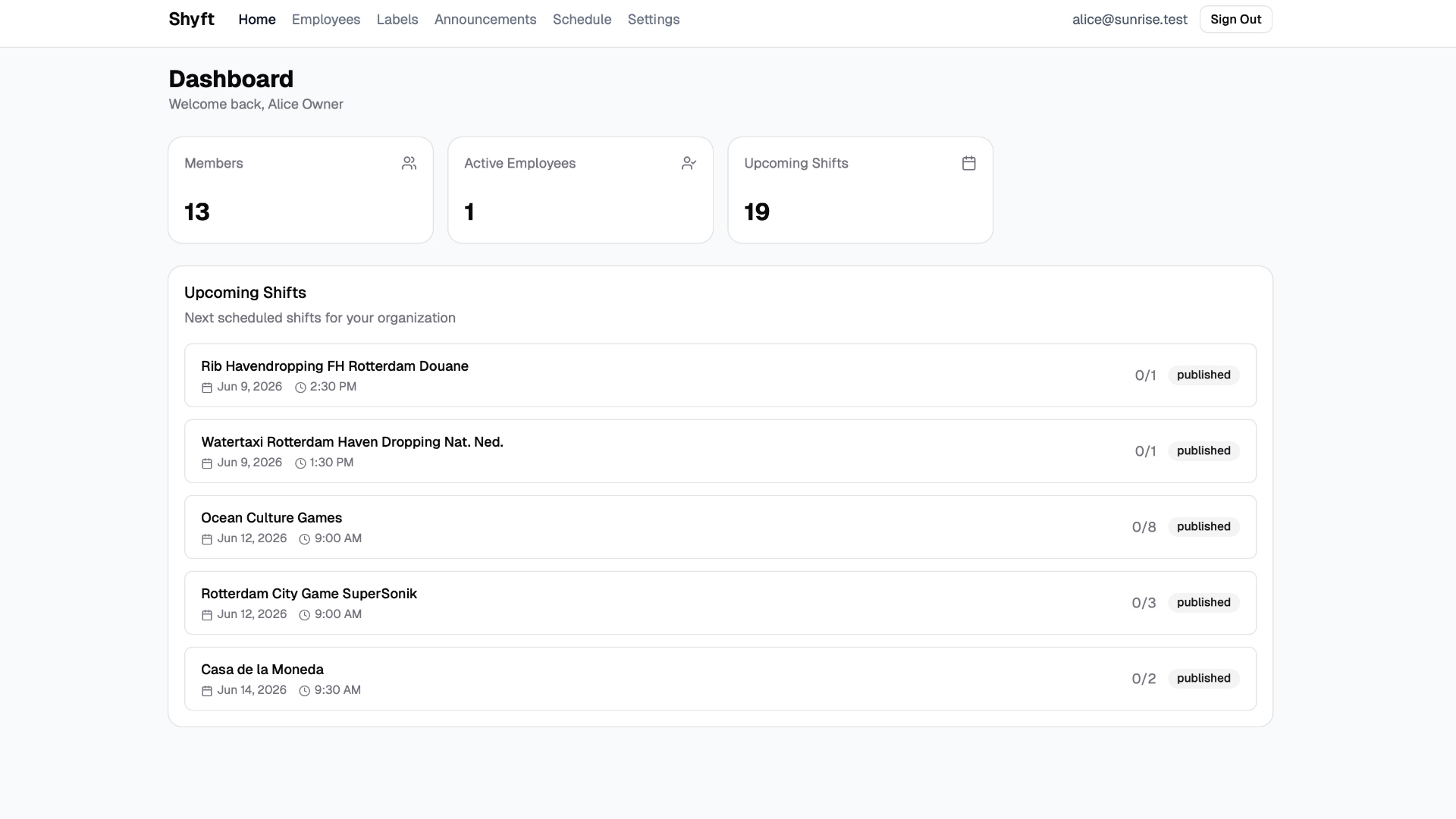
Dashboard
An at-a-glance overview of your organisation: total members, active employees, and upcoming shifts — so leadership always knows what's next.
Product
Every screen in Shyft is purpose-built for companies that schedule real people across roles, locations, and shifts. Here is what you get out of the box.
A 2-minute walkthrough of Shyft, from the admin dashboard to the employee mobile app.
01
An at-a-glance overview of your organisation: total members, active employees, and upcoming shifts — so leadership always knows what's next.
02
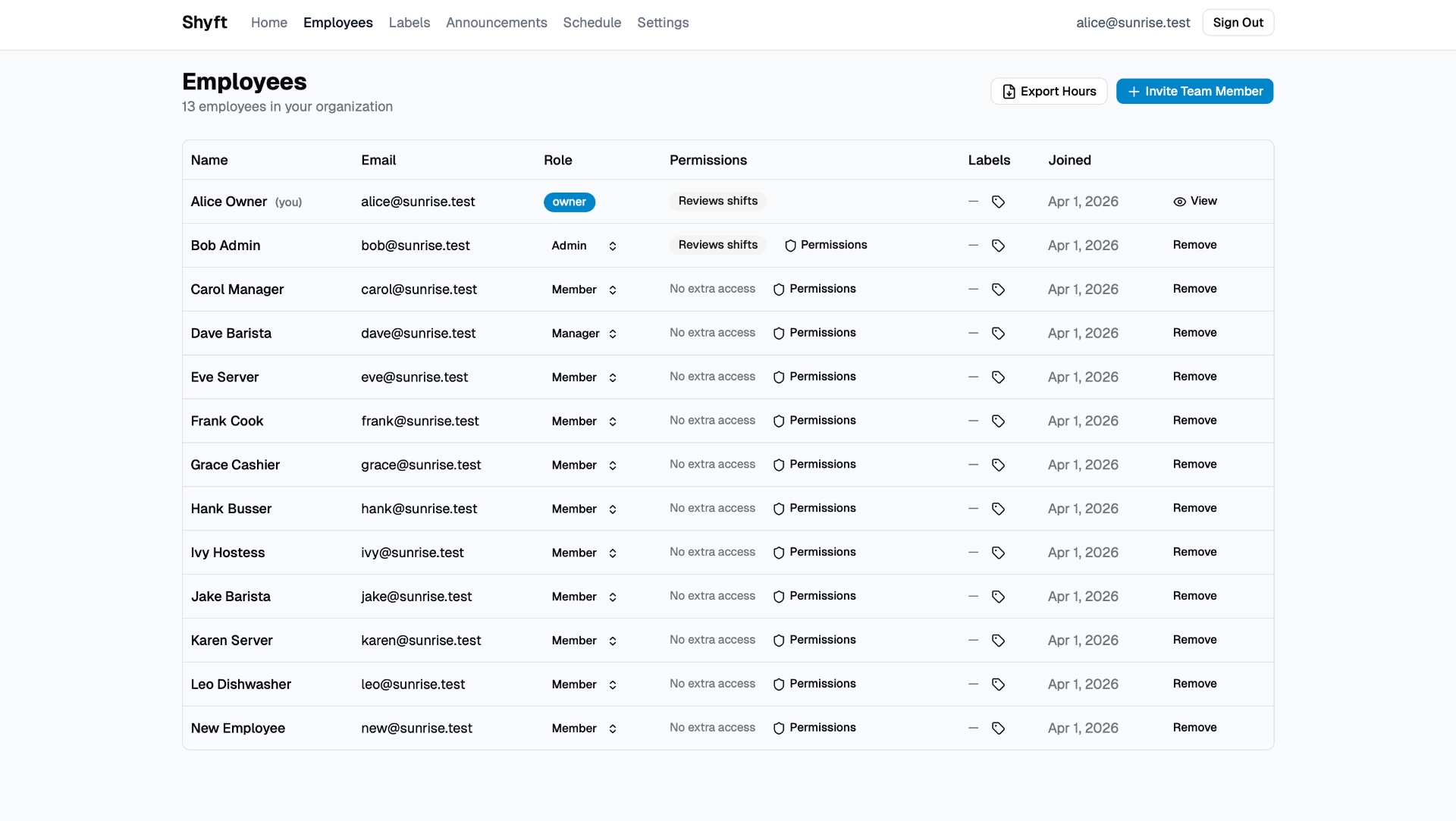
Manage your entire team in one place. Assign roles, control permissions, attach labels, and invite new team members in seconds.
03
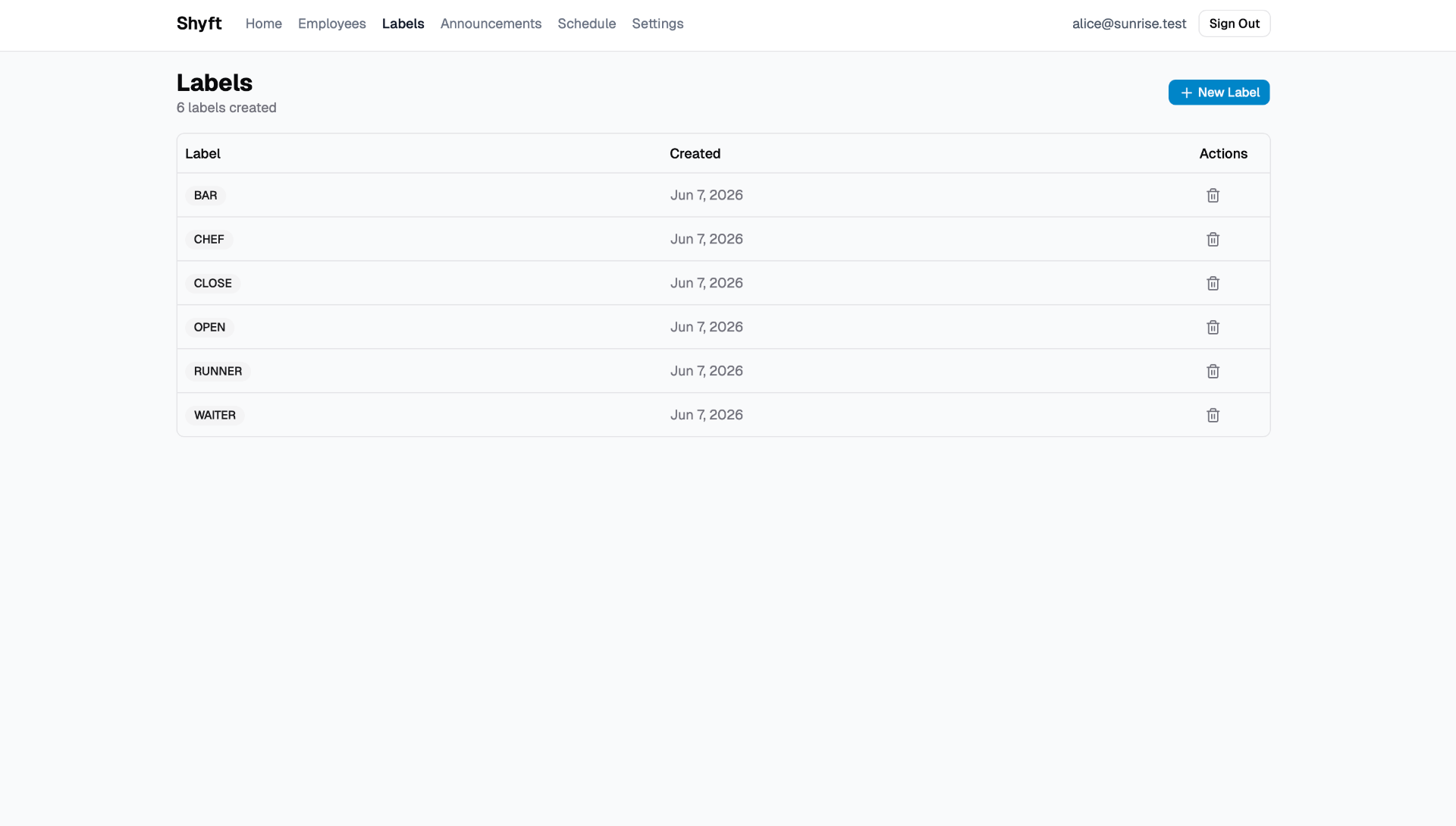
Create custom labels like BAR, CHEF, RUNNER or WAITER to organise roles and filter schedules to exactly what you need to see.
04
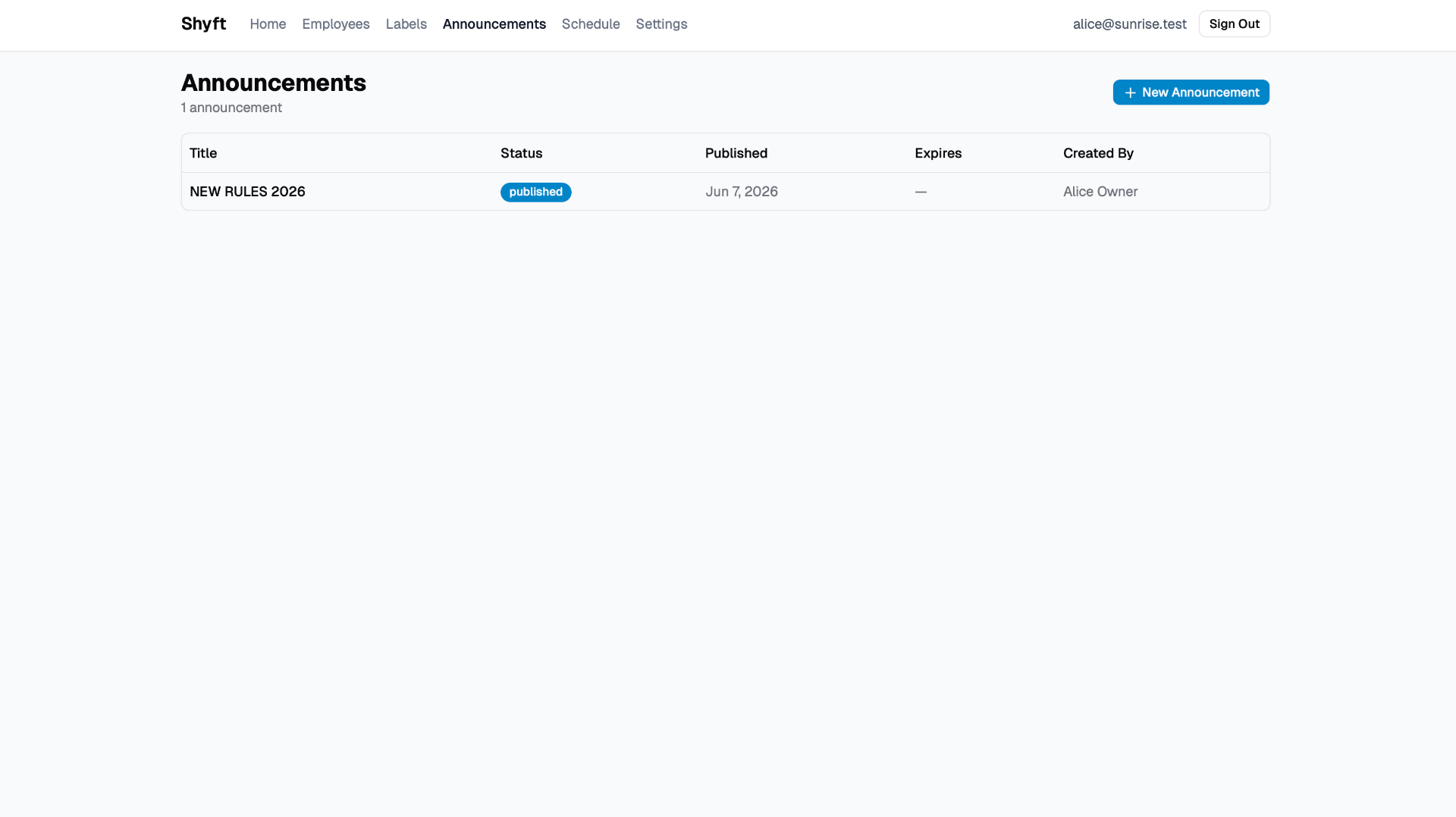
Broadcast updates, policy changes, and important news to the whole team — with publish dates, expiry, and author tracking.
05
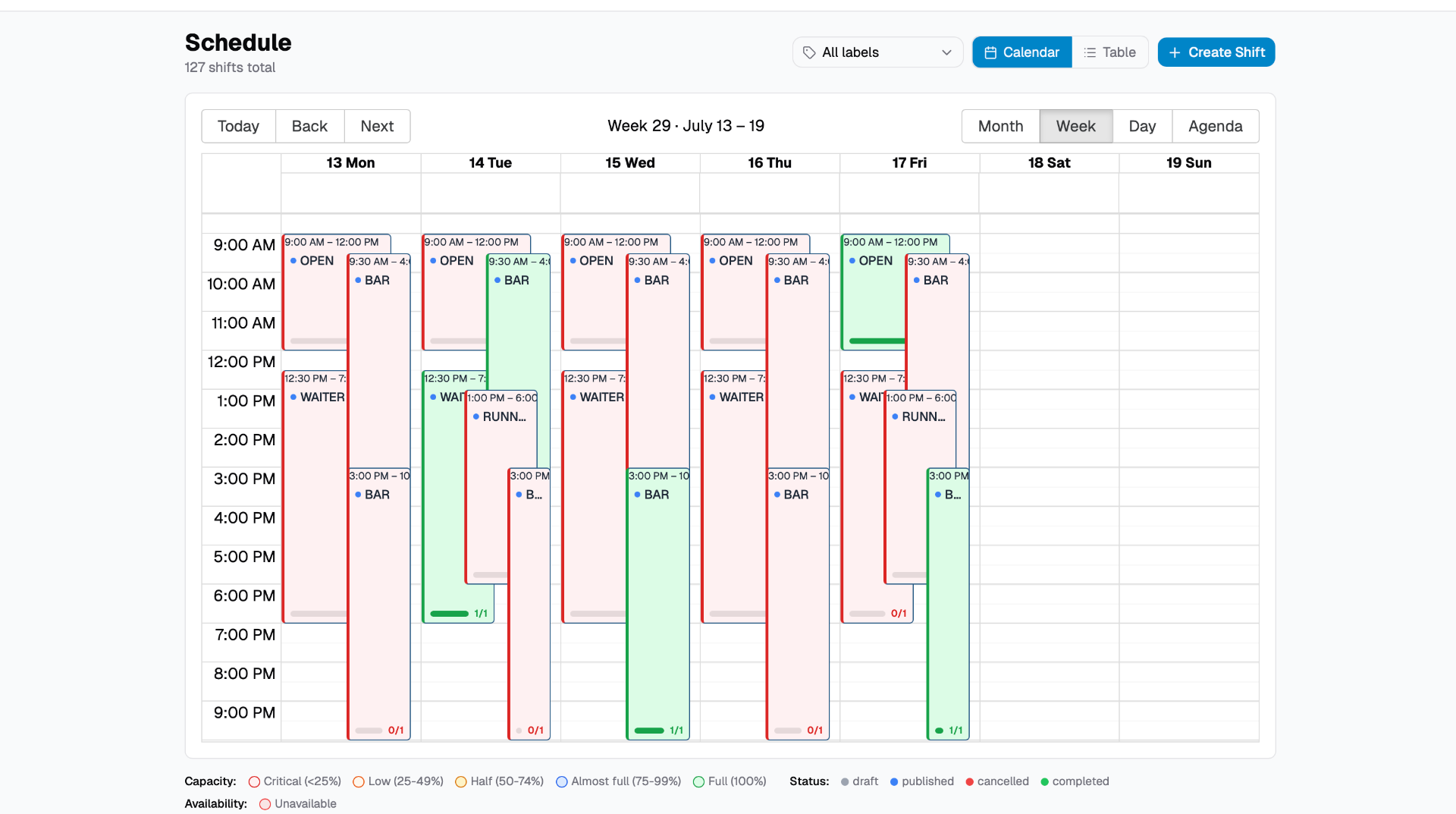
A powerful calendar view with capacity indicators, status colours, and week/day/month/agenda perspectives. Plan a full week at a glance.
06
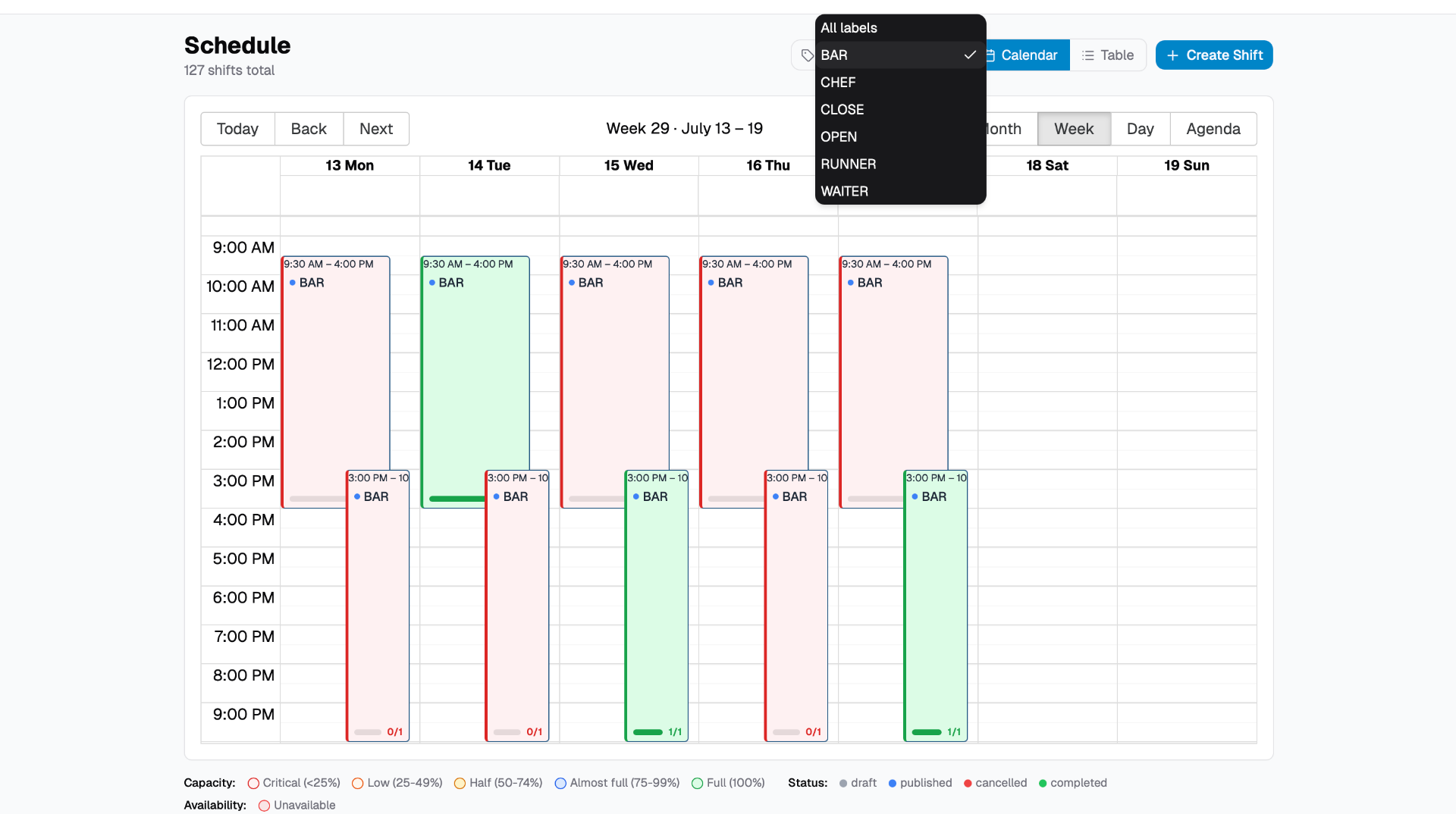
Zoom into a single role across the week. Filter the schedule by any label to see only the shifts that matter for that team.
Employee app
While managers plan on the web, employees get a dedicated mobile experience — built so your team can check shifts, mark availability, and read announcements wherever they are.
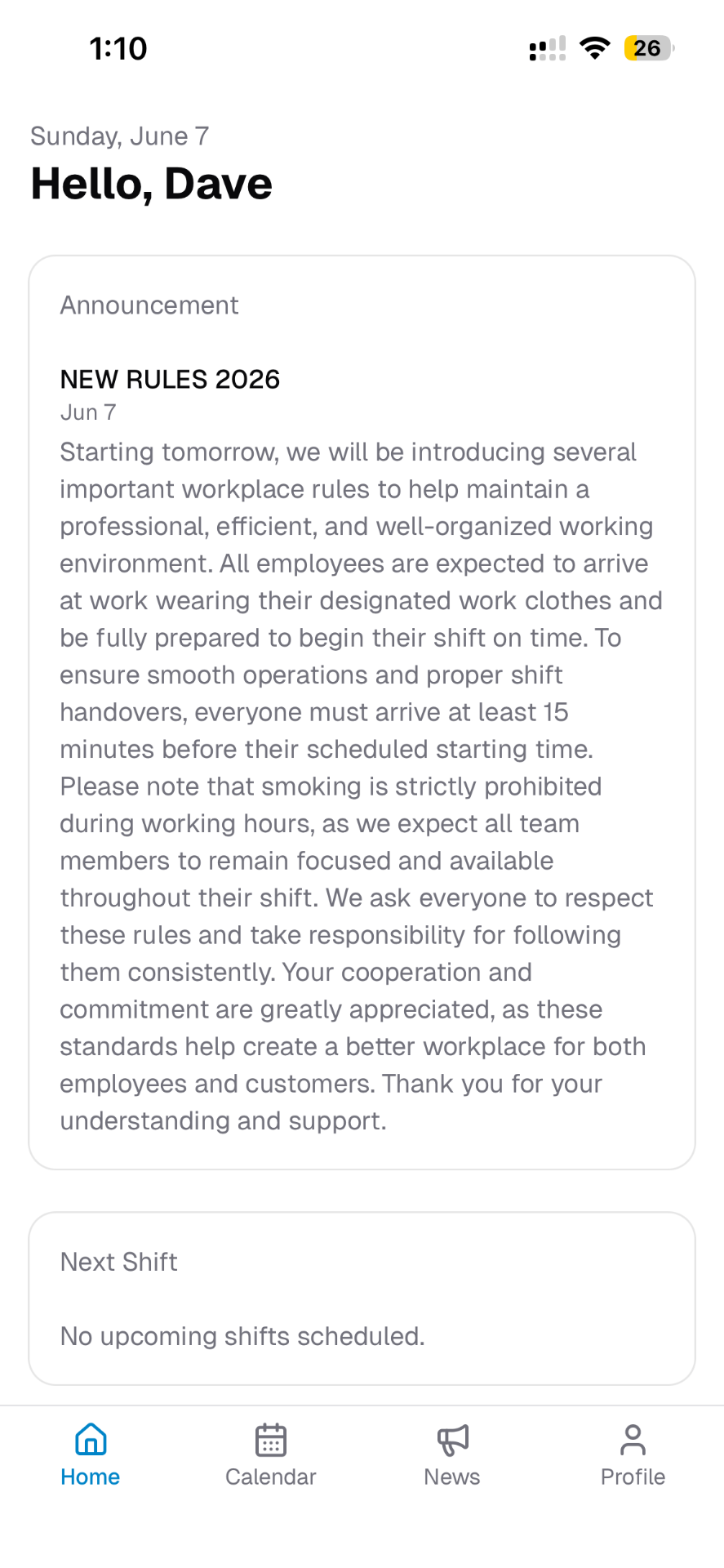
A personal greeting, the latest announcements from leadership, and a quick look at the employee's next shift.
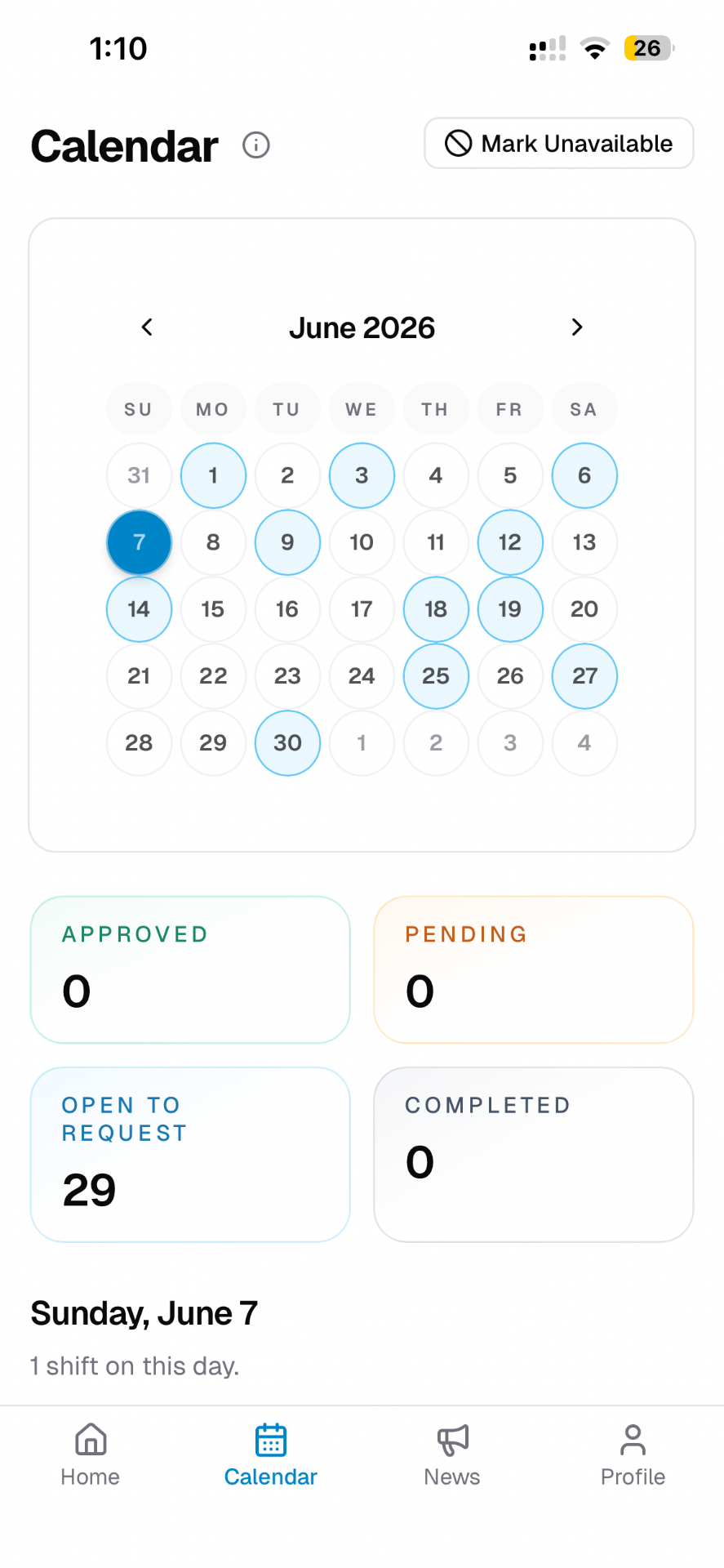
Employees see their schedule at a glance, mark themselves unavailable, and track approved, pending, and open-to-request shifts.
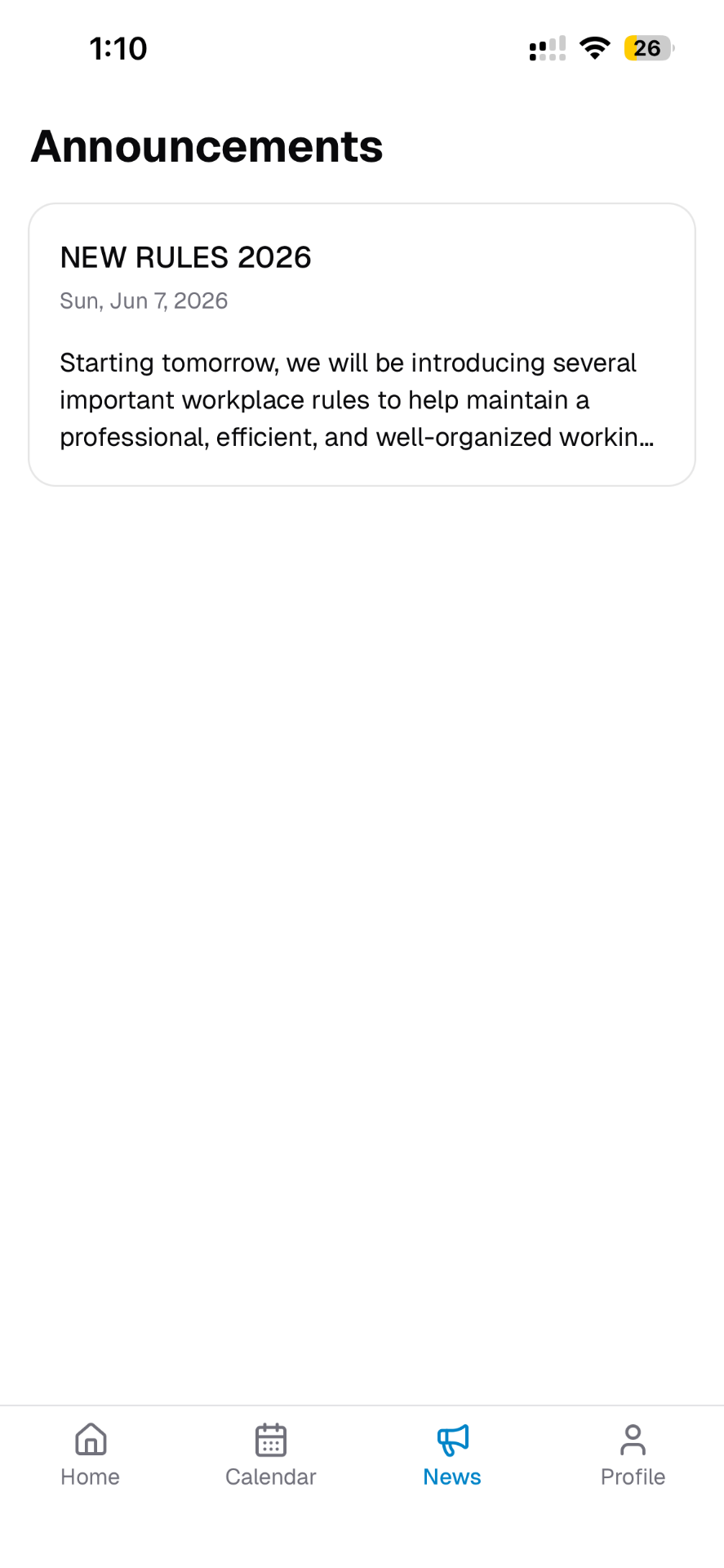
Every published announcement is right in the employee's pocket — no more missed updates or printed memos.
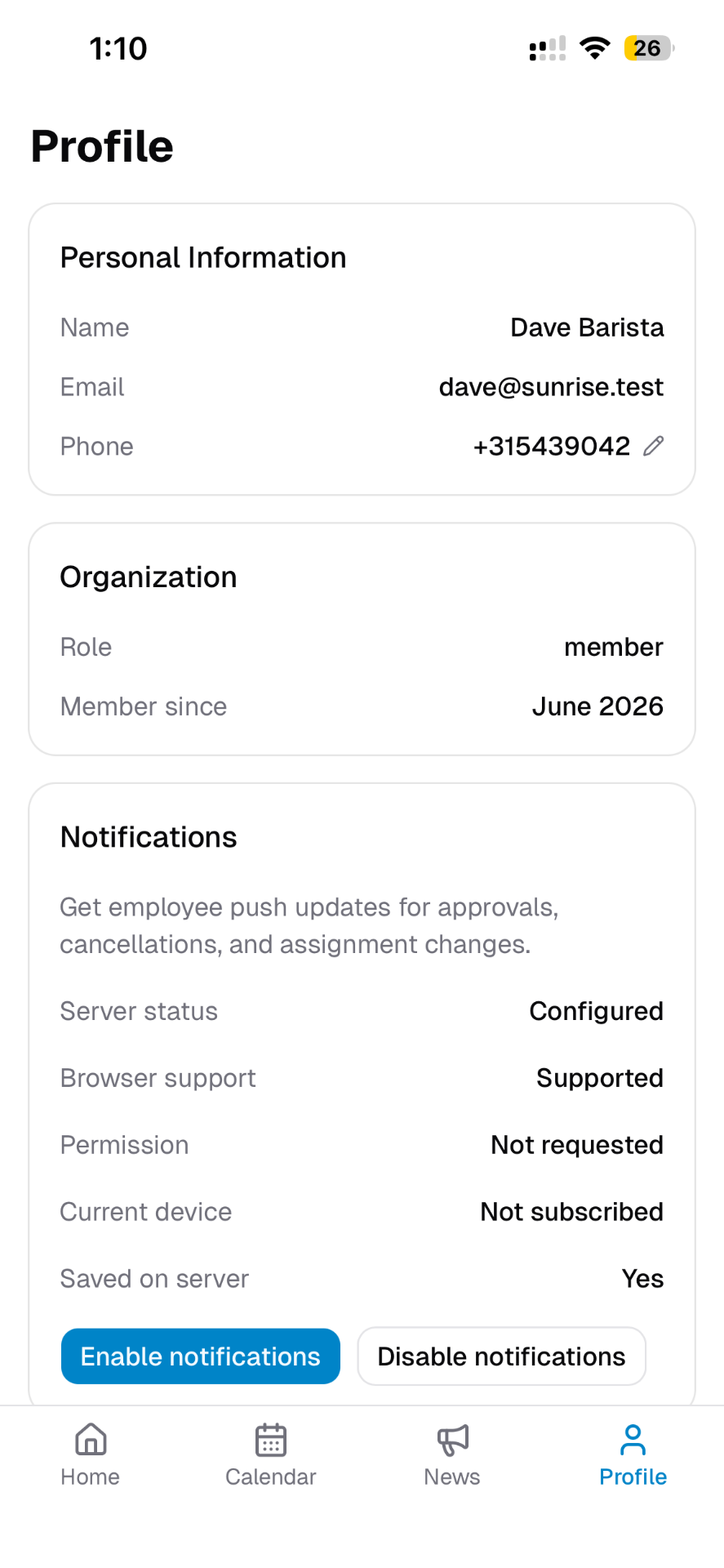
Personal details, organisation role, and push notification controls so employees stay in the loop on every change.